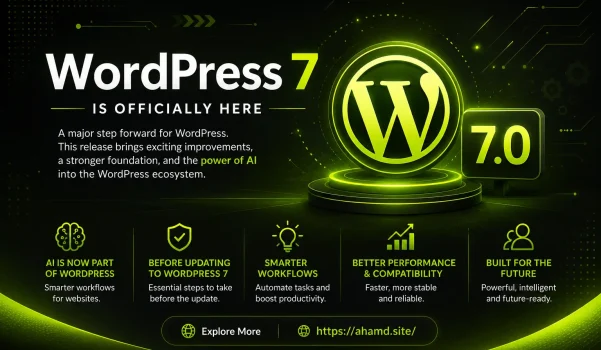
The release of WordPress 7 marks a significant milestone in the evolution of web development. For years, WordPress has been the backbone of millions of websites worldwide, powering blogs, business platforms, and eCommerce stores. Now, with the integration of artificial intelligence (AI) into its core ecosystem, WordPress is stepping into a smarter, more automated future.
This update is not just another version upgrade; it’s a transformation in how websites are created, managed, and optimized. From content generation to workflow automation, WordPress 7 introduces features that redefine efficiency and creativity for developers, designers, and business owners alike.
In this article, we’ll explore what’s new in WordPress 7, how AI is shaping its future, and what you need to consider before updating your website.
What’s New in WordPress 7?
WordPress 7 introduces a wide range of improvements designed to enhance performance, usability, and functionality. The most notable addition is the integration of AI-powered tools that streamline workflows and improve productivity.
1. AI-Powered Content Creation
One of the standout features of WordPress 7 is its ability to assist in content creation. Users can now generate content drafts, summarize articles, and even translate pages automatically.
This means:
- Faster blog writing
- Improved content consistency
- Better multilingual support
For content creators and marketers, this feature alone can significantly reduce workload while maintaining quality.
2. Smarter SEO and UX Decisions
Search engine optimization (SEO) has always been a critical part of website success. WordPress 7 takes this a step further by using AI to provide smarter recommendations for:
- Keyword usage
- Content structure
- Readability improvements
- User experience enhancements
This allows even non-technical users to optimize their content effectively without relying heavily on external tools.
3. Enhanced Media and Image Handling
With AI integration, WordPress 7 can now assist with:
- Image descriptions (alt text)
- Media tagging
- Content categorization
These improvements not only save time but also make your website more accessible and SEO-friendly.
4. Automation of Repetitive Tasks
Repetitive tasks such as scheduling posts, managing updates, and handling routine operations can now be automated more efficiently.
This leads to:
- Increased productivity
- Reduced manual errors
- Better workflow management
For agencies and developers managing multiple websites, this is a game-changer.
5. Improved Plugin and Theme Integration
WordPress 7 strengthens compatibility with plugins and themes, ensuring smoother performance and fewer conflicts. AI also helps identify potential compatibility issues before they become critical problems.
Before Updating to WordPress 7
While the new features are exciting, updating your website without preparation can lead to issues. Here are essential steps to follow before upgrading:
1. Take a Full Backup
Always create a complete backup of your website, including files and databases. This ensures you can restore your site if anything goes wrong.
2. Test on a Staging Environment
Instead of updating your live site directly, test the update on a staging version. This helps identify bugs or conflicts without affecting your users.
3. Check Theme Compatibility
Not all themes are immediately optimized for new versions. Make sure your current theme supports WordPress 7.
4. Review Plugin Compatibility
Outdated plugins can cause major issues. Update all plugins and verify their compatibility before proceeding.
5. Test Key Functionalities
After updating, test critical elements such as:
- Forms
- Checkout pages (for eCommerce sites)
- Navigation menus
- Mobile responsiveness
6. Monitor Performance
Check your website’s speed and performance after the update to ensure everything is running smoothly.
The Role of AI in WordPress 7
Artificial intelligence is the core highlight of this release. It is transforming WordPress from a traditional content management system into a smart digital platform.
1. Content Intelligence
AI can analyze user behavior and suggest content improvements. This helps in creating more engaging and relevant content for your audience.
2. Workflow Optimization
From automating repetitive tasks to suggesting improvements, AI helps streamline operations and reduce manual effort.
3. Personalization
AI enables better user personalization by analyzing visitor behavior and tailoring content accordingly. This can lead to higher engagement and conversion rates.
Benefits for Different Users
For Developers
- Faster development cycles
- Better debugging insights
- Improved compatibility tools
For Designers
- Enhanced creative flexibility
- Smarter layout suggestions
- Improved UX design tools
For Business Owners
- Reduced operational workload
- Better decision-making insights
- Increased efficiency and ROI
Potential Challenges
While WordPress 7 brings many advantages, there are also challenges to consider:
1. Learning Curve
New AI features may require time to understand and implement effectively.
2. Over-Reliance on Automation
Relying too much on AI can sometimes reduce creativity or lead to generic content.
3. Compatibility Issues
Despite improvements, some older plugins or custom setups may still face compatibility issues.
The Future of WordPress
WordPress 7 is just the beginning of a new era. As AI continues to evolve, we can expect even more advanced features such as:
- Fully automated website building
- Advanced personalization engines
- Real-time performance optimization
- AI-driven design systems
The platform is clearly moving toward becoming an all-in-one digital solution rather than just a CMS.
My Take: Is WordPress Becoming Smarter?
The answer is simple—yes.
WordPress is no longer just a tool for building websites; it’s becoming an intelligent platform that empowers users to create, manage, and optimize digital experiences with ease.
However, the real value lies in how effectively these tools are used. Developers and businesses who understand and leverage AI capabilities will have a significant advantage in the digital landscape.
Conclusion
WordPress 7 is a powerful update that brings AI into the heart of web development. With features like automated content creation, smarter SEO tools, and workflow optimization, it offers immense value for users at all levels.
However, like any major update, it requires careful planning and execution. By following best practices and understanding the new features, you can fully unlock the potential of this release.
If you’re ready to take your website to the next level, WordPress 7 is definitely worth exploring.
FAQs
Is WordPress 7 suitable for beginners?
Yes, the AI-powered tools make it easier for beginners to manage and optimize their websites.
Should I update immediately?
It’s recommended to test the update first on a staging environment before applying it to your live site.